
Reveal Beauty, Naturally
Remove objects and people for free, forever—no sign-up needed. Enhance photos, bring old memories back to life, and make one-tap AI edits—EraserApp is all in one simple photo editor.
Coming Soon
 G7X
G7X 
 Enhance

 Remove Objects
 Night Flash
 Restore
 Golden Halo

 Remove People
 01 · Remove
Remove Objects
Trash cans, road signs, wires, clutter — brush over whatever's in the way and the background fills back in around it.
Free · On-device Before
  After
After 02 · Remove
Remove People
Passersby and photobombers, gone. EraserApp spots the people in your shot — tap, remove, keep the moment.
Free · On-device Before
  After
After 03 · Remove
Remove Watermark
Text, logos, date stamps and marks on the photos you own — brushed away, cleanly.
Free · On-device Before
  After
After 04 · Enhance
Enhance
One tap lifts clarity, detail, and light — tuned to keep the photo feeling like yours. Basic enhancement is free; deeper modes run in the cloud with your OK first.
Basic free Pro modes Before
  After
After 05 · Restore
Restore
Bring old memories back to life — faded color, blur, and age damage repaired while the original character stays.
Pro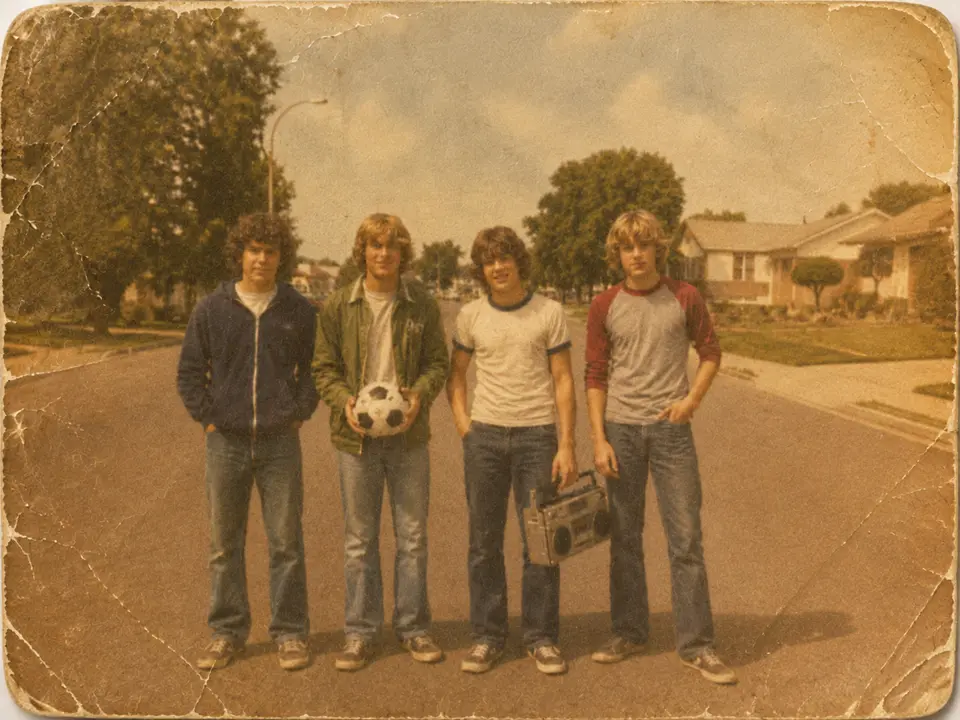 Before
  After
After 06 · AI Edit
AI Edit
Describe the edit in words, or tap a ready-made style — G7X, Blue Hour, Open Eyes and more. One tap, one prompt.
Pro Before
  After
After FAQ
Frequently
Asked
Questions
About EraserApp, its features, and your photos
What is EraserApp?
An AI photo editor for iPhone — remove unwanted objects, people and text, enhance photo quality, restore old photos, and make one-tap AI edits, all in one simple app.
Do I need editing experience?
No. Pick a photo, brush or tap what you want to change, and confirm. Enhance and ready-made templates are one tap — no professional skills required.
Is EraserApp free?
Free to download. Removing objects, people and text is free, forever. Advanced AI features — Ultra enhance, Restore and AI Edit — come with EraserApp Pro.
Is my data safe?
Most features keep your photos on your device. When an edit needs the cloud, EraserApp asks for your consent first, and only the photo you selected is processed — within a limited scope, by trusted providers.
Which devices are supported? Do I need an account?
EraserApp is iPhone-only (iOS 17+). There's no sign-up and no account — download and start editing.
What can EraserApp remove from a photo?
Passersby and background people, clutter, wires, text overlays, date stamps, and watermarks on photos you own.
Can it enhance photos and fix old ones?
Yes — AI enhancement improves clarity, noise, detail and light. Restore mode repairs faded and damaged old photos (Pro).
What is AI Edit?
Type what you want changed, or tap one of 14 ready-made templates — G7X, Blue Hour, Open Eyes and more (Pro).
Reveal Beauty, Naturally
Free to download · iPhone · No account needed
Coming Soon